Hooking Generative AI into Nuke for Plate Extensions That Actually Work
Anyone working in Compositing or VFX has probably faced the same headache: spending hours doing environment extensions or expanding plates to match heavy camera moves.
The classic way we’ve always done it is taking a flat frame, painting a 2D matte patch, and projecting it inside Nuke's node graph.
Does it work? Yes. But it’s incredibly fragile. The second the camera reveals some parallax, your projection breaks. You end up wasting hours manually fixing edges frame-by-frame on a shot that was supposed to be a simple background fill.
As a former computer teacher and self-taught compositor who has spent years failing, learning, and failing again to code, I’ve always believed one thing: "There has to be a better way, and it has to be possible." So I took my basic scripting skills, mixed in a healthy dose of "Vibe Coding" with AI, and decided to hook ComfyUI directly into Nuke to speed up the process and take the heavy lifting off my shoulders.
The Core Shift: 2D Projections Don't Understand Depth, but AI Does
The biggest limitation of slapping a 2D card inside Nuke is that the projection node has zero understanding of the scene's actual 3D geometry.
But in 2026, Generative AI models have evolved to understand depth, perspective, and lighting in an image with incredible accuracy. By feeding the AI model the right context from our plate, it can generate seamless environment extensions that feel like they were part of the original capture from day one.
The Node Hookup
The pipeline I settled on treats the ComfyUI generation process as an "External Render" that feeds back into Nuke through an automated Write/Read loop. Here is how it flows:
- Send Data from Nuke: A Python 3.10 script running inside Nuke crops the target frame edge (the context region) along with the corresponding depth pass.
- Process in ComfyUI: This data is pushed to a local ComfyUI server running a ControlNet-based inpainting workflow.
- Bring it back to Nuke: Once generated, the result is saved directly into a watched folder, which Nuke automatically picks up via a standard Read node using file sequence syntax.
The beauty of this setup is that we aren't letting the AI paint wildly on a blank canvas. By using the original plate and the depth pass as a structural guide, the generated extension naturally inherits the light direction, perspective, and lens characteristics of our source material. This saves a massive amount of relighting work.
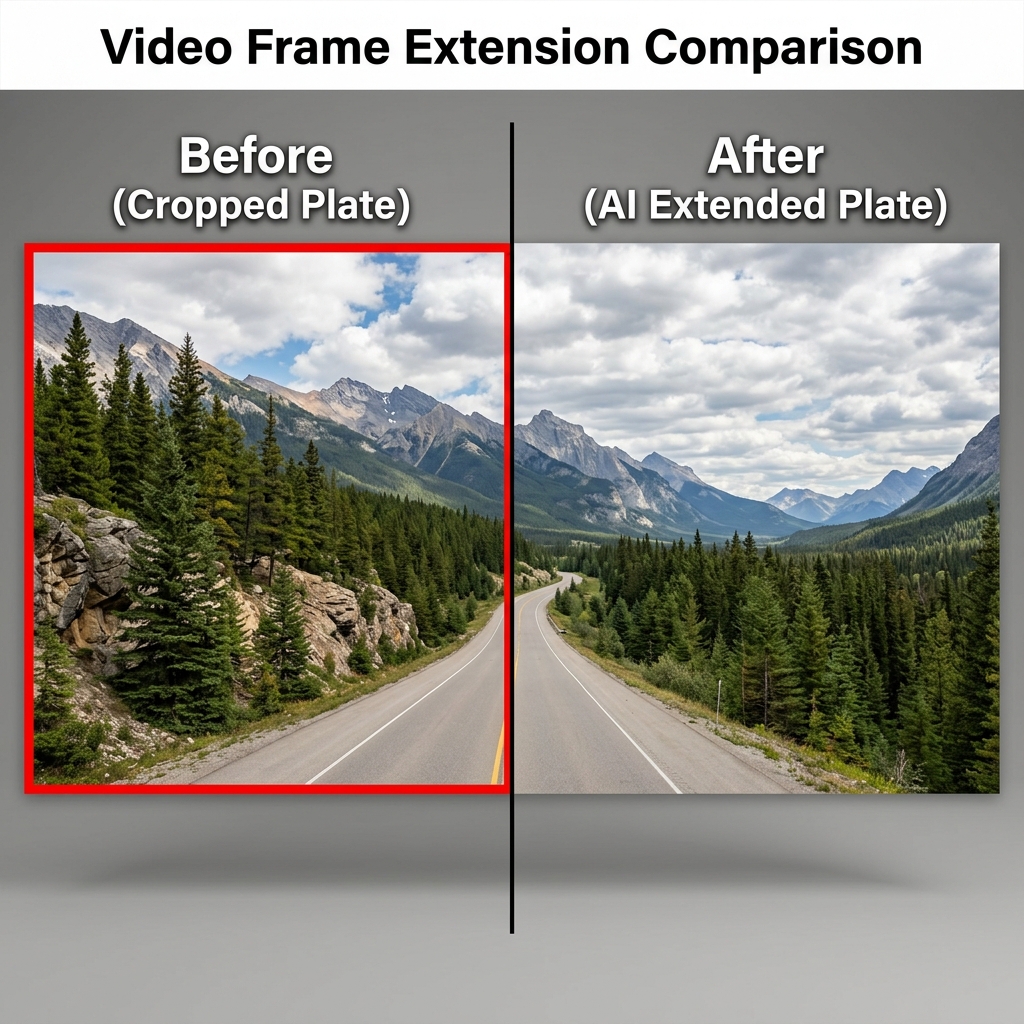
FIG_01: Side-by-side comparison diagram showing (left) the narrow cropped original plate and (right) the seamlessly expanded visual horizon generated by AI using ControlNet and local depth guides.
Keeping it Real: What it Can't Do Yet
As much as I love optimism and new tech, we have to look at this pipeline realistically. It is not a magical "make art" button.
If you need highly specific historical architecture, or a complex set extension with strict physical blueprints, you still absolutely need an experienced matte painter in the loop to control and guide the details.
Where this workflow shines is organic or semi-generic backdrops—extending forests, skies, generic city horizons, mountains, or filling in atmospheric elements like fog and dust.
Also, running ControlNet inference at full compositing resolutions on a local machine takes a serious amount of computational power (low-VRAM cards will definitely feel the heat 555). It makes the most sense on shots that would otherwise take days of manual projection work.
The Real Win: Cheap Iterations (Iteration Speed)
For me, the ultimate victory of this setup isn't just raw speed. It's how cheap it makes creative iteration.
In a real production environment, when you're working late and a director asks, "Can we make the sky a bit darker? Can we try a rainy version instead?" in the old days, that meant going back to the drawing board, color-correcting, repainting, and losing sleep.
Now, all we do is tweak the text prompt slightly, click generate, and test it out. Creative exploration that used to cost dozens of production hours now takes minutes.
Moving from "Let's try it, but it's going to be a long night" to "Sure, let's hit generate and see right now" completely shifts the energy and happiness in the studio.
I highly recommend giving this pipeline a spin inside your own Nuke setup. If you run into any issues or want to share your own custom Nuke/AI workflows, feel free to reach out anytime! Let's keep leveling up together.