Tools / Blender add-on · Rigging
Stop fighting Ctrl+P. Pin gear on in one click.
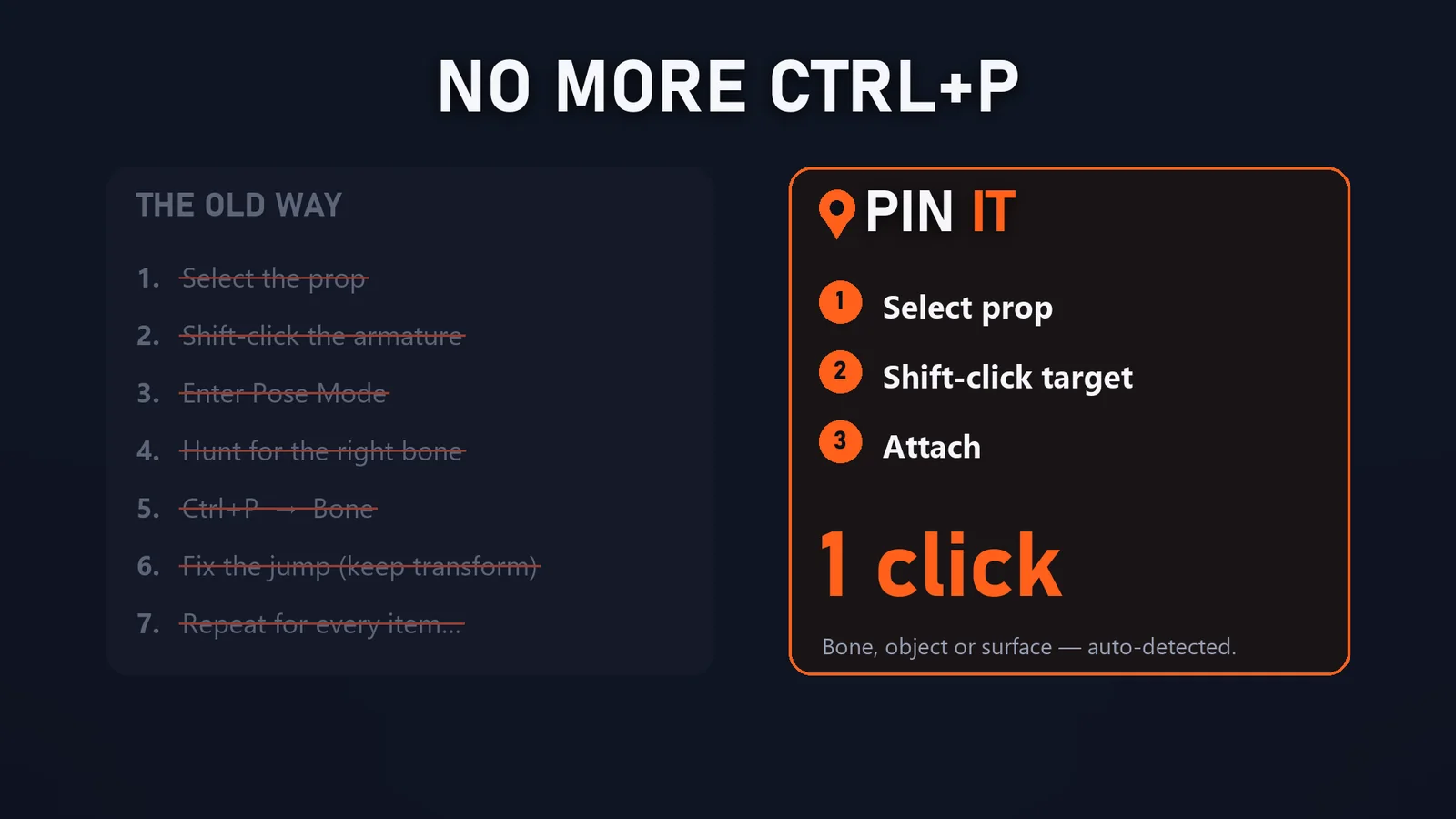
Attaching a sword to a hand in Blender means selecting the prop, shift-selecting the armature, entering Pose Mode, finding the right bone, Ctrl+P → Bone, fixing the jump… then doing it again for every item. Pin It turns that into one click, and keeps a tidy list of everything you attached.
What it does
One button, it figures out how
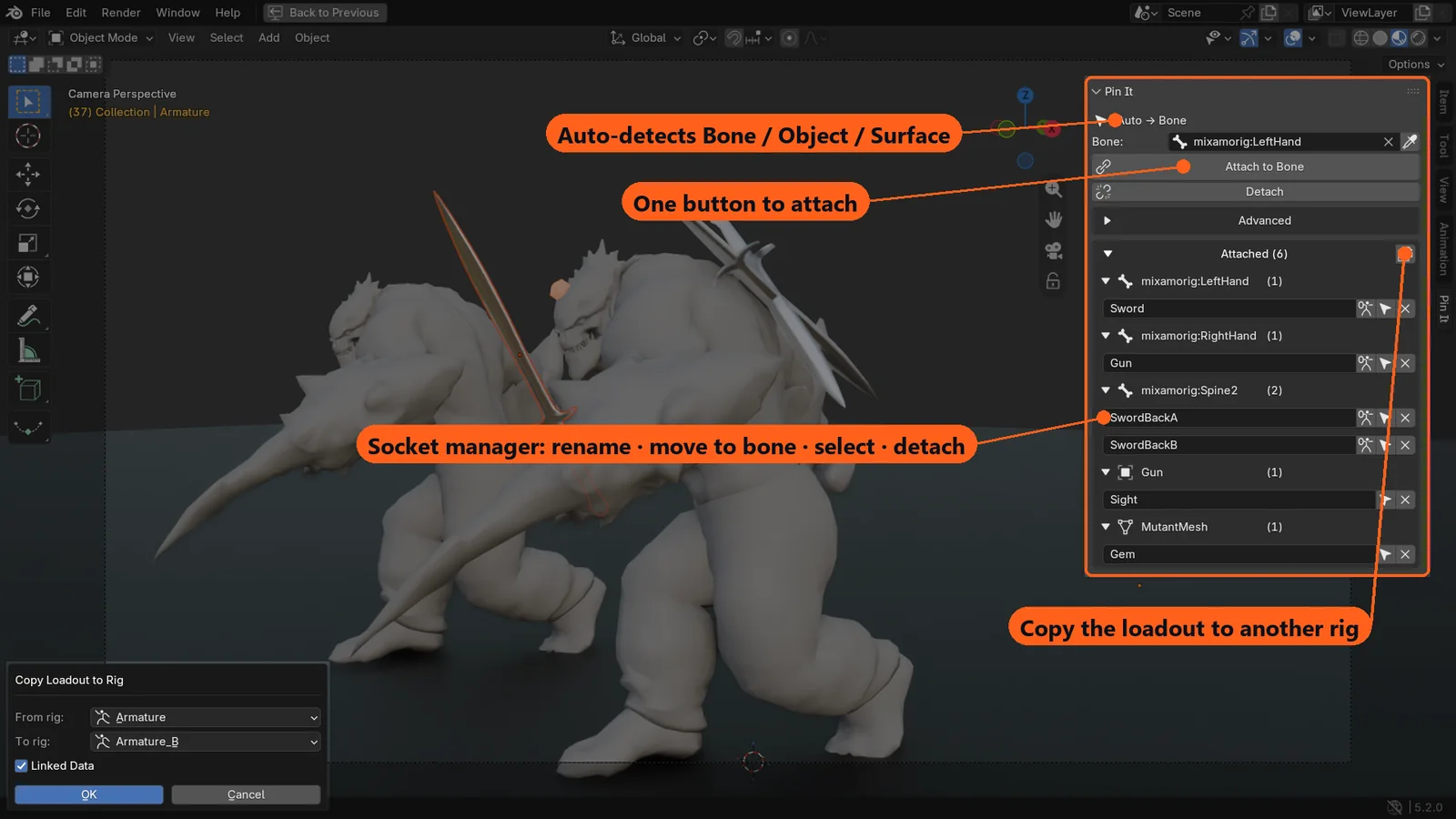
Leave it on Auto: select the prop, shift-click the target, hit Attach. Pin It detects a bone, an object or a character mesh and does the right thing.
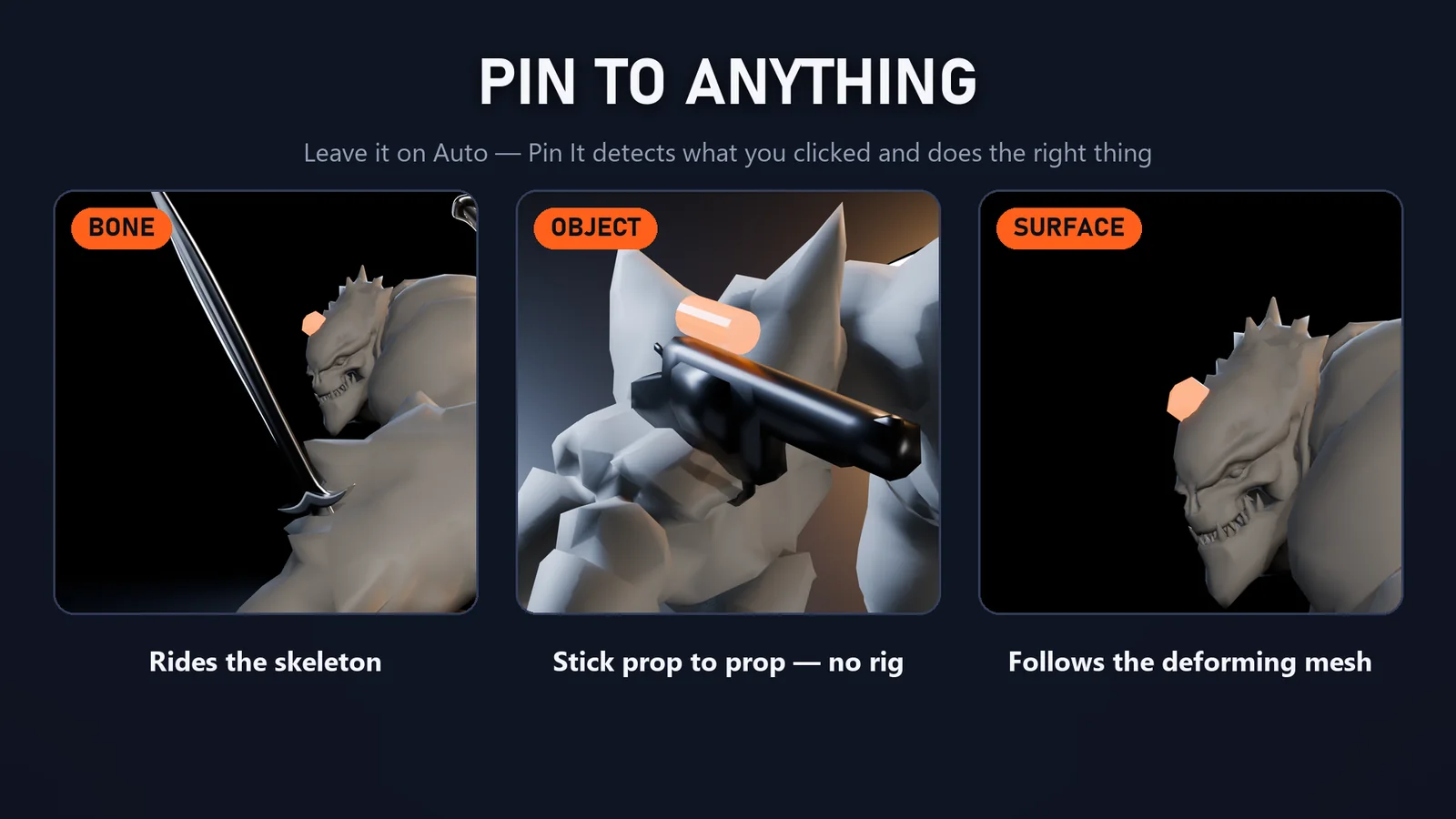
Pin to anything
Bone (rigid Bone Parent or animatable Child Of), Object (prop to prop, no rig), or Surface: pin to the deforming mesh itself, from 1 or 3 vertices.
It never jumps
Keep Transform is on by default. Props stay exactly where you placed them when you attach, and stay put in world space when you detach.
A socket manager
Every attachment listed by bone, object or mesh. Rename inline, move a prop to another bone with its grip kept, select or detach.
Copy Loadout
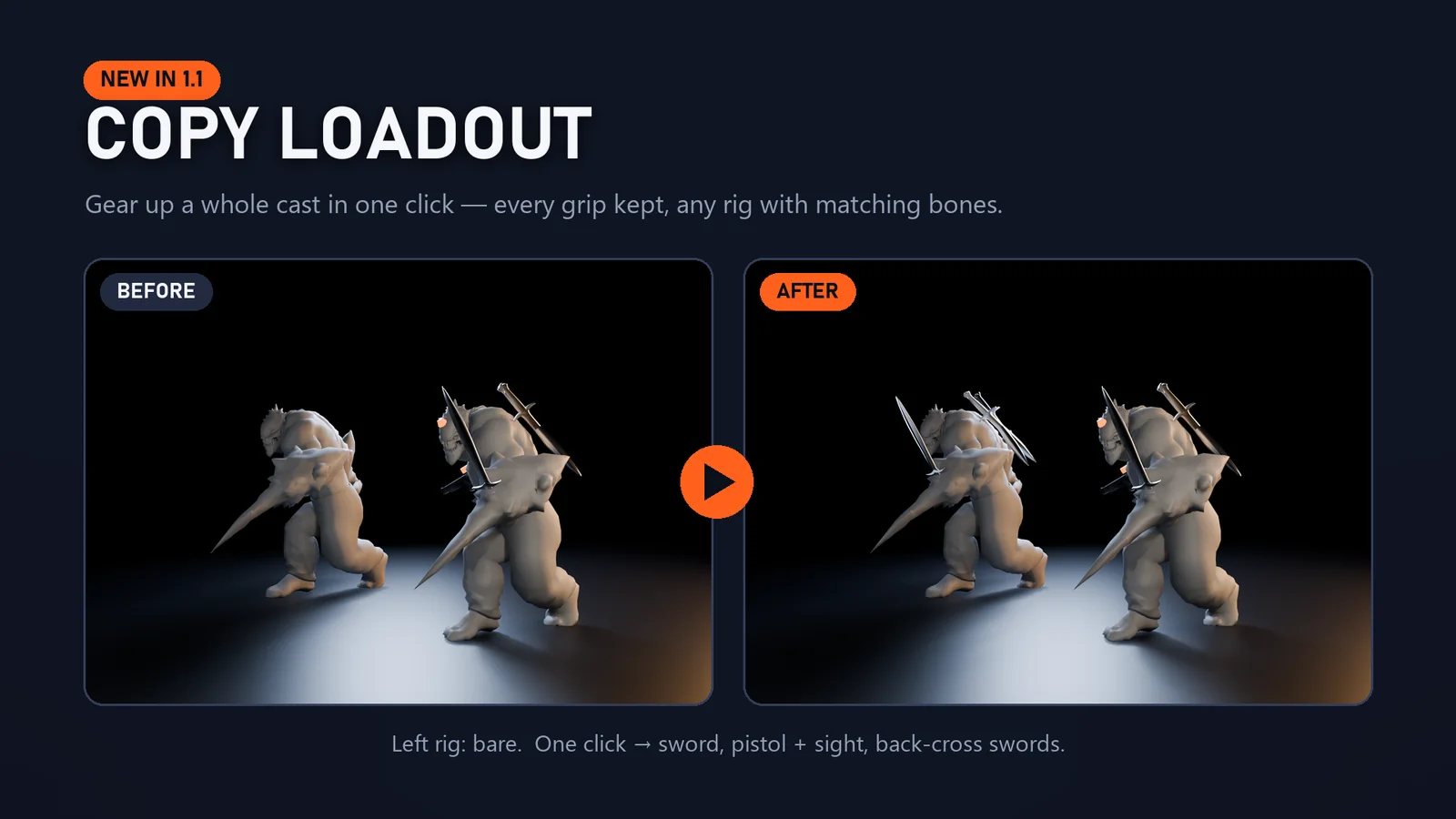
Kitted out one character? Copy the whole loadout onto another rig with matching bone names in one click, every grip kept.
Tested like production code
An automated test suite runs on Blender 4.4, 4.5 LTS, 5.0, 5.1 and 5.2 LTS, and on a real Mixamo character mid-run.
Gallery